
Thread 'YARROW'
Message boards : Puzzles and science : YARROW
Message board moderation
Previous · 1 · 2 · 3 · 4 · Next
| Author | Message |
|---|---|
 Stony666 Send message Joined: 30 Sep 26 Posts: 62 Credit: 337,376,796 RAC: 9,124,750                              
|
Hi, I have attached a GMC-300E attached to my win11 host. Is the device recognized? Is there a way to check that? Must I do more steps? Atm it is at 0.28% with 5min runtime... In my settings I have entered 10min and the device too. Regards Joerg |
|
25 years old Send message Joined: 27 Sep 26 Posts: 349 Credit: 5,210,003 RAC: 137,017                     
|
It appears that some data has been misread; I am still working on the matter. 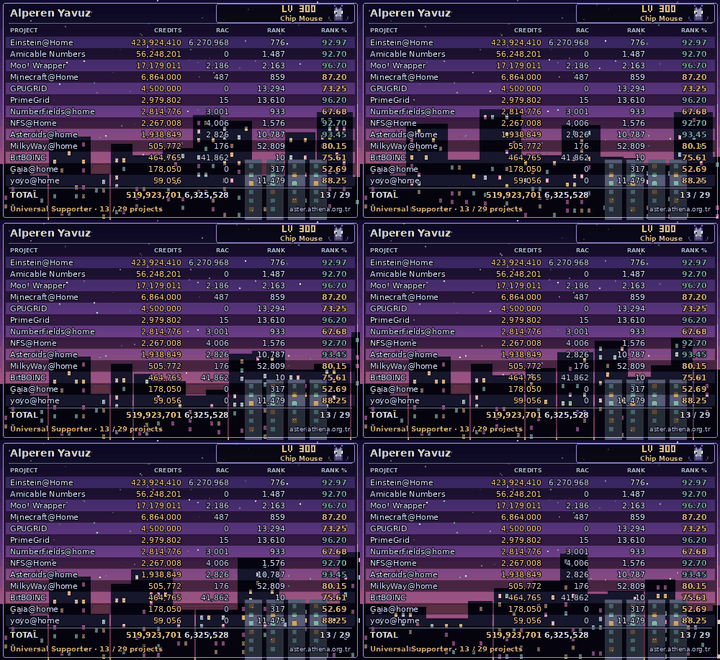
|
|
Stony666 Send message Joined: 30 Sep 26 Posts: 62 Credit: 337,376,796 RAC: 9,124,750
|
OK, I will abort the WU. |
|
25 years old Send message Joined: 27 Sep 26 Posts: 349 Credit: 5,210,003 RAC: 137,017
|
The project implementation has been updated; everything should now work smoothly. Also, an option to mute the beep sound has been added.
|
|
Send message Joined: 1 Oct 26 Posts: 8 Credit: 203,623 RAC: 786     
|
In reply to Alperen Yavuz's message of 22 Oct 2026: The project implementation has been updated; everything should now work smoothly. Also, an option to mute the beep sound has been added. Unable to handle request missing or bad parameter: yarrow_buzzer |
|
Send message Joined: 1 Oct 26 Posts: 8 Credit: 203,623 RAC: 786
|
In reply to Aurimas's message of 22 Oct 2026:
Okey, in second time I had luck to select Buzzer: Off in preferences. Also, clicked Update in my Boinc Manager. Unfortunately, detector still beeping. Moreover, task running 40 mins already, and I an not able to see my point on map. Looks like nothing changed. I'll try to reset project and restart pc a little bit later. |
|
Send message Joined: 1 Oct 26 Posts: 8 Credit: 203,623 RAC: 786
|
Unfortunately, I had no luck with Radioactive@Home detector. I am using Windows 10 and 2.51 sensor. It still beeping and results not appearing on map. Please let me know, if here will be any more updates. Thank You. |
|
25 years old Send message Joined: 27 Sep 26 Posts: 349 Credit: 5,210,003 RAC: 137,017
|
The server is currently down; I have added a new disk and am in the process of migrating the data. Please try again in 1–2 hours, once the server is back online. The resulting data takes up more space than I anticipated.
|
|
dskagcommunity 46 years old  Send message Joined: 29 Sep 26 Posts: 64 Credit: 21,977,365 RAC: 136,334            
|
Is it because this that this message still appears? 23.10.2026 00:35:39 | bitboinc | Project is temporarily shut down for maintenance ---------- 24/7 Crunching since 2011 ----------- DSKAG Austria: http://www.dskag.at 
|
|
25 years old Send message Joined: 27 Sep 26 Posts: 349 Credit: 5,210,003 RAC: 137,017
|
In reply to dskagcommunity's message of 22 Oct 2026: Is it because this that this message still appears? Yes, I’ll be opening it shortly; I’m still organizing the database. The database is currently around 190 GB.
|
|
dskagcommunity 46 years old Send message Joined: 29 Sep 26 Posts: 64 Credit: 21,977,365 RAC: 136,334
|
I have this problem too. 0,05% after 18 mins. Ive set 10 minutes too ---------- 24/7 Crunching since 2011 ----------- DSKAG Austria: http://www.dskag.at
|
|
Send message Joined: 1 Oct 26 Posts: 8 Credit: 203,623 RAC: 786
|
In reply to dskagcommunity's message of 23 Oct 2026: I have this problem too. 0,05% after 18 mins. Ive set 10 minutes too Same here, problems looks like not solved. |
|
Steve Dodd Send message Joined: 28 Sep 26 Posts: 27 Credit: 53,008,805 RAC: 218,076             
|
Just got a GC-03. I've got the device into the "update" mode, but when plugging it into my computer (Win 11), it says the device type isn't recognized (Unknown USB device (Device Descriptor Request Failed) Driver Error). I can't go further than that to install the Yarrow binary. (Device also stays in update mode regardless of what buttons or combination of buttons I push). Any advice? |
|
25 years old Send message Joined: 27 Sep 26 Posts: 349 Credit: 5,210,003 RAC: 137,017
|
Hello, use the original cable. While the cable is disconnected, first press and hold the 'OK' button, then press and hold the 'OFF' button. A screen displaying "Update" will appear; once it does, plug in the cable. Windows will automatically open a window—copy the binary file into that window. To exit update mode, press and hold the power button for 10 seconds. If this still does not work, press and hold the power button for 20–30 seconds. If none of these steps work and the device remains unresponsive, you will need to open the device to remove and reseat the battery. Once opened, avoid touching the tube or the metal plate used for measuring electromagnetic fields; if you do touch them, clean the area using an alcohol-based wipe. 
|
|
Stony666 Send message Joined: 30 Sep 26 Posts: 62 Credit: 337,376,796 RAC: 9,124,750
|
Hi, I have waited some time then I restart my box to have all fresh. Sensor is GMC-300E+ I download one yarrow WU Status is... bitboinc 11.533% yarrow_1792752906_0_0 Yarrow (radiation monitor) (0.09) 1Tag 15:52:31 --- 00:00:27 22.11.2026 11:08:03 aktiv (nicht CPU intensiv) It is from this host https://bitboinc.athena.org.tr/show_host_detail.php?hostid=353 Valid bins (Yarrow) 0 Hours measured (Yarrow) 0.0 Am I missing something? I have read a lot in the forum but nothing more than to plugin the sensor. Is there more? Has someone this sensor running with success? Regards Jörg |
|
72 years old Send message Joined: 30 Sep 26 Posts: 73 Credit: 214,198,594 RAC: 5,206,913                    
|
In reply to Stony666's message of 25 Oct 2026: Hi, Look in the slot folder of the WU. What is in the stderr.txt? |
|
Steve Dodd Send message Joined: 28 Sep 26 Posts: 27 Credit: 53,008,805 RAC: 218,076
|
Alperen, I held the power button for over a minute; no good. Rather than open the device and risk voiding a warranty, I'm going to try my luck with a new unit; sending this one back. (Incidentally, I was using the original cable). Thanks for the response. I'll let you know when I get another unit and try again :) Steve |
|
25 years old Send message Joined: 27 Sep 26 Posts: 349 Credit: 5,210,003 RAC: 137,017
|
Hi Jörg, thank you for trying the GMC-300E+ (you are the first with a real GQ counter, so this is valuable). I found a bug that fits what you see exactly: on Windows the monitor could get stuck on the first COM port that does not answer, so it never reached the GMC code (the task runs, but sends nothing: your host has not delivered a single measurement yet). It is fixed in monitor version 12, and the monitor now also writes down why it does or does not accept a serial port. What to do: 1. In the BOINC Manager press Update on the project. The new version comes with the next task; if the old task keeps running, abort it. 2. Plug in the GMC-300E+ (the GQ software must not be running, it keeps the port). 3. After 5 to 10 minutes open the task's stderr.txt (BOINC Manager > Tasks > select the task > Properties, or C:\ProgramData\BOINC\slots\ Sorry for the trouble and thanks for the patience.
|
|
Stony666 Send message Joined: 30 Sep 26 Posts: 62 Credit: 337,376,796 RAC: 9,124,750
|
Hi, thx for your help. :) Here you are... looking for a detector (plugged in, switched on, on the main screen) ygmc: COM1 could not be opened (another program may be using it, or it is not for this user) ygmc: COM2 could not be opened (another program may be using it, or it is not for this user) ygmc: a serial port answered <GETVER>> with 0 bytes instead of 14 (not a GQ GMC counter, or the baud rate is wrong) ygmc: GMC-300Re 4.54: the configuration page has no usable calibration point (bytes 8 to 25: 00 3c 14 ae c7 3e 00 f0 14 ae c7 3f 03 e8 00 00 d0 40 ) ygmc: COM5 could not be opened (another program may be using it, or it is not for this user) ygmc: COM6 could not be opened (another program may be using it, or it is not for this user) ygmc: COM7 could not be opened (another program may be using it, or it is not for this user) ygmc: COM8 could not be opened (another program may be using it, or it is not for this user) ygmc: COM9 could not be opened (another program may be using it, or it is not for this user) ygmc: COM10 could not be opened (another program may be using it, or it is not for this user) ygmc: COM11 could not be opened (another program may be using it, or it is not for this user) ygmc: COM12 could not be opened (another program may be using it, or it is not for this user) ygmc: COM13 could not be opened (another program may be using it, or it is not for this user) ygmc: COM14 could not be opened (another program may be using it, or it is not for this user) ygmc: COM15 could not be opened (another program may be using it, or it is not for this user) ygmc: COM16 could not be opened (another program may be using it, or it is not for this user) ygmc: COM17 could not be opened (another program may be using it, or it is not for this user) ygmc: COM18 could not be opened (another program may be using it, or it is not for this user) |
|
Stony666 Send message Joined: 30 Sep 26 Posts: 62 Credit: 337,376,796 RAC: 9,124,750
|
Now, the work stopped at 3:45 minutes status: postponed |


