
Thread 'Android app improvements'
Questions and Answers : Getting started, support & suggestions : Android app improvements
Message board moderation
| Author | Message |
|---|---|
 rilian  Send message Joined: 28 Sep 26 Posts: 281 Credit: 53,204,839 RAC: 926,814                           
|
starting a new topic with new Android app improvements suggestions 1) you computed X minutes today - this shows "calendar" minutes, not CPU minutes.. 2) would be nice to add ability to control work buffer on device. Yes it's possible to create a profile for android computer, but on device would be more comfortable. For example on my 8-cpu tablet it downloads like 40 tasks by default. Because device may become used i'd like to keep cache as small as possible.. 3) make sorting options (by %, by when task was received) i might add such changes in PR myself if app code is open source I crunch for Ukraine 
|
|
72 years old Send message Joined: 30 Sep 26 Posts: 92 Credit: 332,129,860 RAC: 10,616,969                           
|
Can you add also remote control for the app? I ran 2 Odroid-N2 headless and it would great if i can control it with BoincTasks. The only way to see they are working atm is on the website. |
|
25 years old  Send message Joined: 27 Sep 26 Posts: 420 Credit: 8,151,595 RAC: 241,579                    
|
All requested features have been added; please check and confirm that it is working correctly. 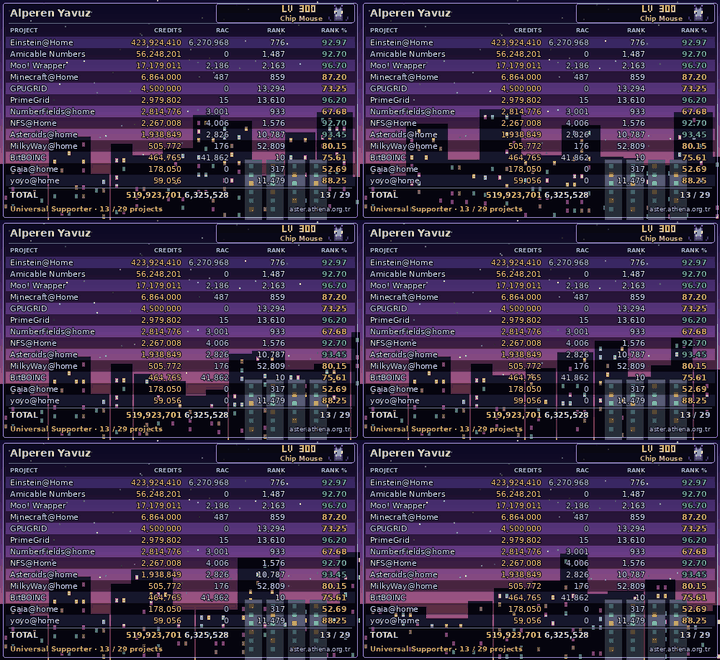
|
|
72 years old Send message Joined: 30 Sep 26 Posts: 92 Credit: 332,129,860 RAC: 10,616,969
|
How can i set remote password for the phone and allow control from other devices? |
|
25 years old Send message Joined: 27 Sep 26 Posts: 420 Credit: 8,151,595 RAC: 241,579
|
Thanks for testing! The phone setting was missing from the screen; it is in version 0.2.2 (update from the app / Android page): Settings → "Control from other devices". Turn it on (the app restarts once). The card then shows the phone's address, port 31416 and a password, which you can change there. BoincTasks / BOINC Manager: Computers → Add computer → enter that address, port 31416 and the password. Both devices must be on the same network. Controlling your PCs (and the BitBOINC phone Devices tab) works the same way. On each computer: 1. Put a password in gui_rpc_auth.cfg (one line, in the BOINC data folder). 2. In cc_config.xml, inside (optional: list the allowed addresses, one per line, in remote_hosts.cfg) 3. Restart the BOINC client. Allow TCP port 31416 for your local network only. BOINC data folder: - Windows: C:\ProgramData\BOINC\ (restart the "BOINC" service or reboot; allow boinc.exe / port 31416 in Windows Firewall, private network only) - Linux: /var/lib/boinc-client/ (Debian/Ubuntu) or /var/lib/boinc/ (Fedora, Arch) sudo systemctl restart boinc-client ; e.g. sudo ufw allow from 192.168.1.0/24 to any port 31416 proto tcp - macOS: /Library/Application Support/BOINC Data/ (quit BOINC and start it again, then allow it in the firewall) Away from home: please do NOT forward port 31416 on your router. BOINC's remote protocol is not encrypted and only protected by a password. Use Tailscale instead (free for personal use, tailscale.com): install it on the PC, the phone and the device you control from, sign in with the same account, and use the 100.x.y.z address (or the machine name) instead of the local address in BoincTasks or the app. Nothing is exposed to the internet that way.
|
|
72 years old Send message Joined: 30 Sep 26 Posts: 92 Credit: 332,129,860 RAC: 10,616,969
|
Great, now remote control work. App looks very nice. Thank you |
|
72 years old Send message Joined: 30 Sep 26 Posts: 92 Credit: 332,129,860 RAC: 10,616,969
|
The app sends every 36 sec a trickle-up message and read preference override file. Can that reduced? 544 bitboinc 21.11.2026 12:14:05 Sending scheduler request: To send trickle-up message. 545 bitboinc 21.11.2026 12:14:05 Not requesting tasks: don't need () 546 bitboinc 21.11.2026 12:14:06 Scheduler request completed 547 bitboinc 21.11.2026 12:14:06 Project requested delay of 31 seconds 548 21.11.2026 12:14:06 Reading preferences override file 549 21.11.2026 12:14:06 Computing preferences: 550 21.11.2026 12:14:06 - When computer is in use 551 21.11.2026 12:14:06 - 'In use' means mouse/keyboard input in last 3.00 minutes 552 21.11.2026 12:14:06 - don't compute 553 21.11.2026 12:14:06 - max CPUs used: 4 554 21.11.2026 12:14:06 - Use at most 100% of the CPU time 555 21.11.2026 12:14:06 - suspend if non-BOINC CPU load exceeds 50% 556 21.11.2026 12:14:06 - max memory usage: 3.62 GB 557 21.11.2026 12:14:06 - When computer is not in use 558 21.11.2026 12:14:06 - max CPUs used: 4 559 21.11.2026 12:14:06 - Use at most 100% of the CPU time 560 21.11.2026 12:14:06 - suspend if non-BOINC CPU load exceeds 50% 561 21.11.2026 12:14:06 - max memory usage: 3.62 GB 562 21.11.2026 12:14:06 - Don't used more than 0.25 GB swap space (100% of 0.25 GB) 563 21.11.2026 12:14:06 - Leave apps in memory if not running 564 21.11.2026 12:14:06 - Store at least 0.10 days of work 565 21.11.2026 12:14:06 - Store up to an additional 0.00 days of work 566 21.11.2026 12:14:06 - max disk usage: 23.08 GB 567 21.11.2026 12:14:06 - (to change preferences, visit a project web site or select 'Options / Computing preferences...' in the Manager) 568 bitboinc 21.11.2026 12:14:42 Sending scheduler request: To send trickle-up message. 569 bitboinc 21.11.2026 12:14:42 Not requesting tasks: don't need () 570 bitboinc 21.11.2026 12:14:43 Scheduler request completed 571 bitboinc 21.11.2026 12:14:43 Project requested delay of 31 seconds 572 21.11.2026 12:14:43 Reading preferences override file |
|
51 years old Send message Joined: 28 Sep 26 Posts: 80 Credit: 95,928,097 RAC: 3,721,415             
|
And while you are at it, can WUprop be integrated as well? |
|
25 years old Send message Joined: 27 Sep 26 Posts: 420 Credit: 8,151,595 RAC: 241,579
|
I've already done this for wuprop support. You can now add any project to this app.
|
|
25 years old Send message Joined: 27 Sep 26 Posts: 420 Credit: 8,151,595 RAC: 241,579
|
This is how these applications normally work. Changing it doesn't seem logical.
|
|
72 years old Send message Joined: 30 Sep 26 Posts: 92 Credit: 332,129,860 RAC: 10,616,969
|
In reply to Alperen Yavuz's message of 21 Nov 2026: This is how these applications normally work. Changing it doesn't seem logical. The trickle-up-message appears not in all projects. But why "Reading preferences override file" with every trickle-up-message. Running BitBoinc with the orginal Android-Boinc-app only the trickle-up-message appears. |


